New here?
Use Resend — fastest setup, best deliverability.
Average setup time: 5 minutes. Most users send their first email within 10 minutes.
Provider comparison
| Provider | Ease of setup | Deliverability | Cost | Best for | Recommended |
|---|---|---|---|---|---|
| Resend | ⭐⭐⭐⭐⭐ | ⭐⭐⭐⭐⭐ | Low | Everything | ✅ |
| Gmail | ⭐⭐ | ⭐⭐⭐ | Free | Small volume | ❌ |
| SendGrid | ⭐⭐⭐ | ⭐⭐⭐⭐ | Medium | Transactional | ⚠️ |
| Smartlead | ⭐⭐⭐ | ⭐⭐⭐⭐⭐ | Higher | Cold outreach | ⚠️ |
| Instantly | ⭐⭐⭐ | ⭐⭐⭐⭐⭐ | Higher | Cold outreach | ⚠️ |
Recommended for 95% of users
Connect Resend
1
Create a Resend account
Sign up — free tier is plenty to get started.
Open Resend2
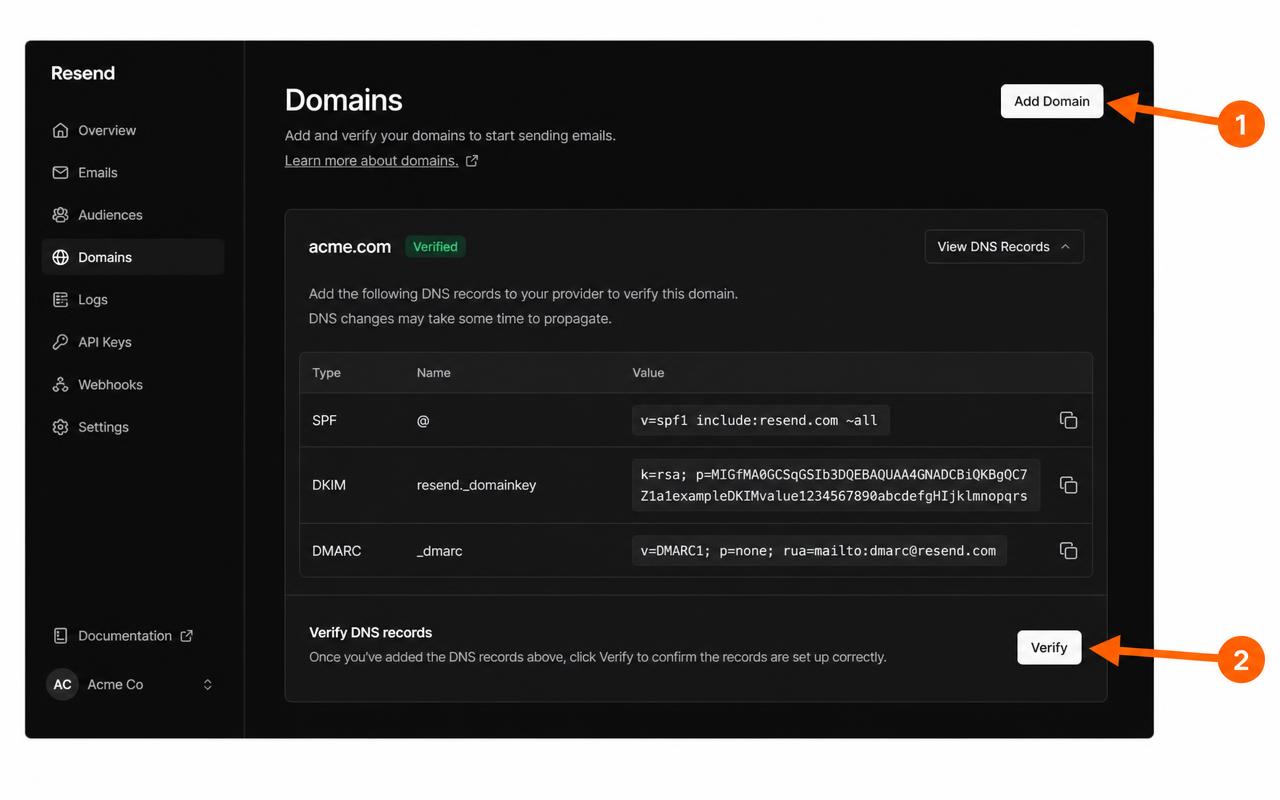
Verify your sending domain
- Open Domains
- Click Add Domain and enter your domain (e.g.
yourbrand.com) - Copy the DNS records (SPF, DKIM, optional DMARC)
- Add the DNS records in your domain registrar
- Click Verify — usually takes a few minutes
3
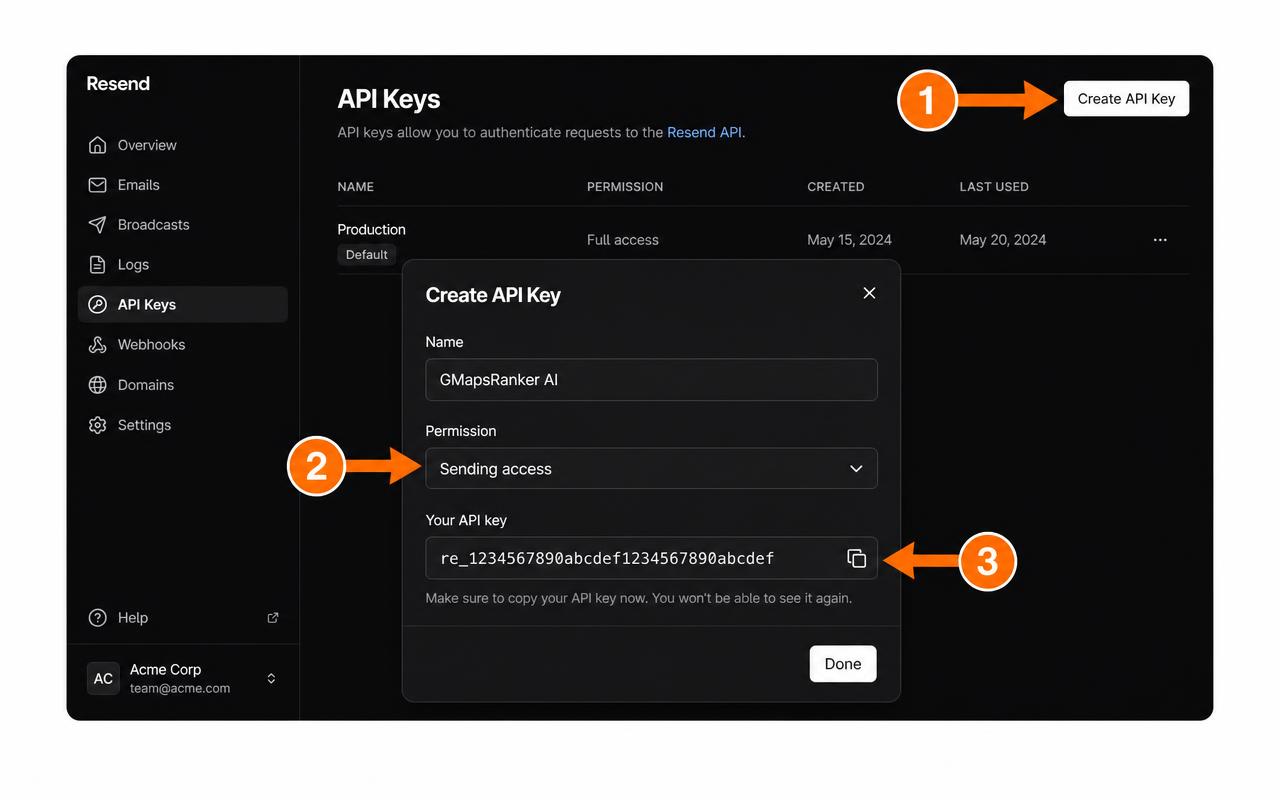
Create an API key
- Open API Keys
- Click Create API Key — name it GMapsRanker AI
- Permission: Sending access
- Copy the key — it starts with
re_
Example: re_xxxxxxxxxxxxxx
4
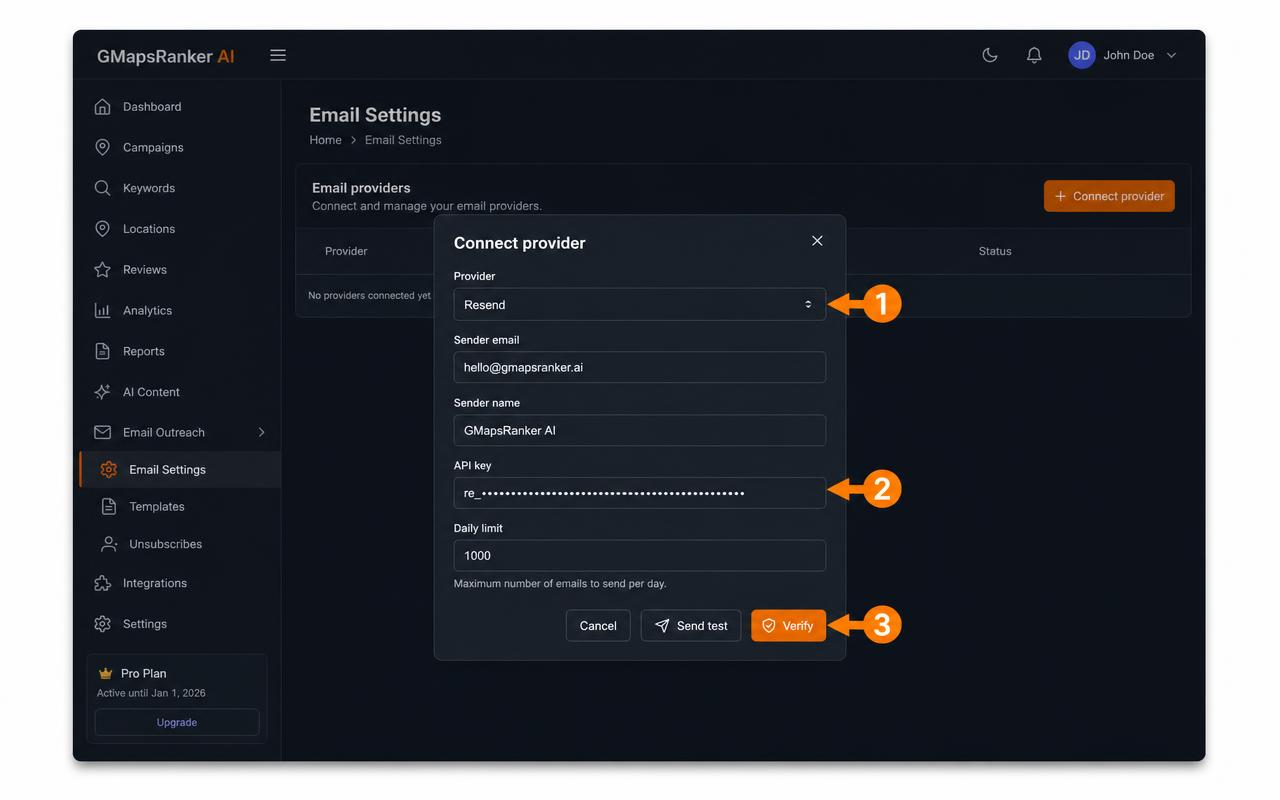
Connect to GMapsRanker AI
Go to Email Settings, click Connect provider, choose Resend, and fill in:
- Sender email (must be on the verified domain)
- Sender name
- API key (the
re_key) - Daily limit
5
Verify & send a test email
Click Verify, then Test, then enter your own email to confirm delivery.
You're ready to send
- ✓ Outreach Emails
- ✓ Insider List Emails
- ✓ Follow-Up Sequences
- ✓ Proposal Emails
- ✓ Notifications
Troubleshooting
FAQ
Ready to send emails?
Recommended for almost every GMapsRanker AI user. Fast setup. Excellent deliverability.
- ✓ Outreach
- ✓ Insider List
- ✓ Proposal Sending
- ✓ Automations